Inline Completion with completion-preview-mode
As part of the ongoing overhaul of my Emacs setup
I’ve been trying to make the most of the built-in functionality that recent Emacs
releases keep quietly shipping. My in-buffer completion setup is
based on corfu and cape
these days, but it turns out I had overlooked a nice Emacs 30 addition
in the same area - completion-preview-mode.
It gives you inline completion suggestions - the “ghost text” UI that GitHub
Copilot and friends made famous1 - except here it’s powered by plain old
Emacs completions.
What It Does
As you type, completion-preview-mode shows a grayed-out preview of the top
completion candidate right after point - inline, in the buffer itself. No popup,
no minibuffer, no fuss. If the suggestion is what you want, press TAB to accept
it. If not, just keep typing and the preview updates (or goes away).
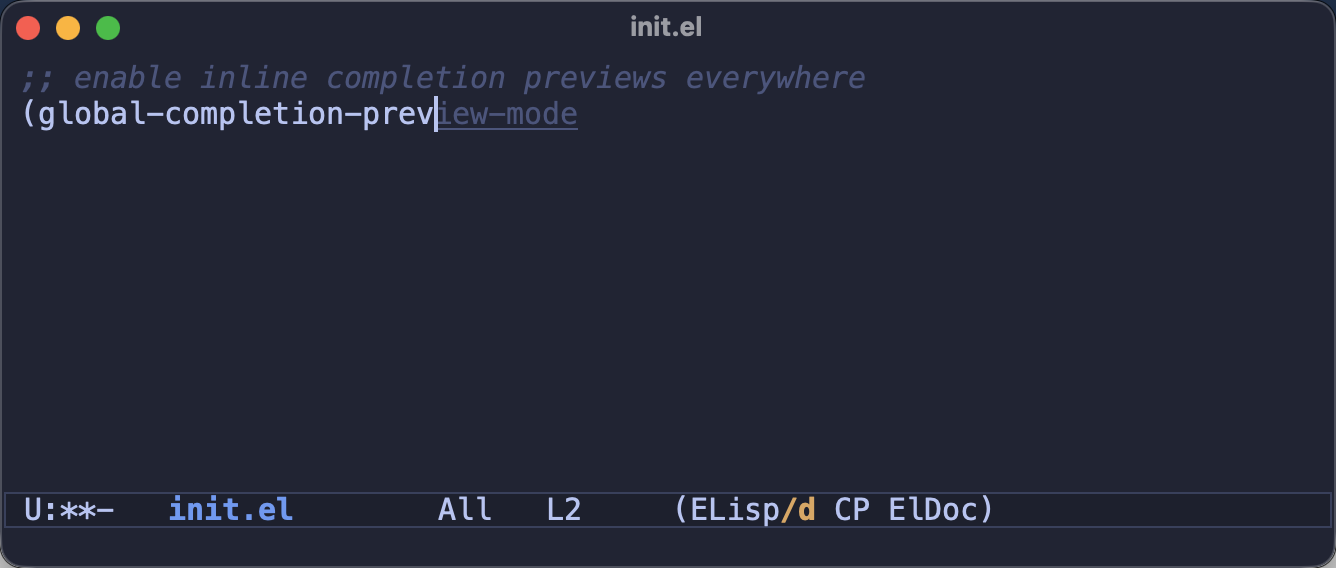
The part I like best - the candidates come from completion-at-point-functions,
which means the preview is fed by the exact same backends as corfu and
company. If you’ve already set up cape-dabbrev, cape-file or eglot,
all of them power the ghost text automatically. Batteries very much included.
Enabling It
You can try it out in the current buffer with M-x completion-preview-mode.
If you like what you see, you can enable it everywhere:
(global-completion-preview-mode 1)
Here’s the relevant bit of my config:
(use-package completion-preview
  :ensure nil ; built-in
  :config
  ;; cycle through the other candidates with M-n/M-p (those two
  ;; commands have no default bindings)
  (define-key completion-preview-active-mode-map (kbd "M-n") #'completion-preview-next-candidate)
  (define-key completion-preview-active-mode-map (kbd "M-p") #'completion-preview-prev-candidate)
  (global-completion-preview-mode +1))
Essential Keybindings
While a preview is visible you can make use of the following keybindings:
TAB(completion-preview-insert) - accept the suggested completionM-i(completion-preview-complete) - insert only the longest common prefix of all the candidates (the preview underlines it, so you know in advance what you’ll get) and let you keep typing from thereM-n/M-p(completion-preview-next-candidate/completion-preview-prev-candidate) - cycle through the other candidates; those are not bound by default, but the docs themselves suggestM-nandM-p(see my config above)
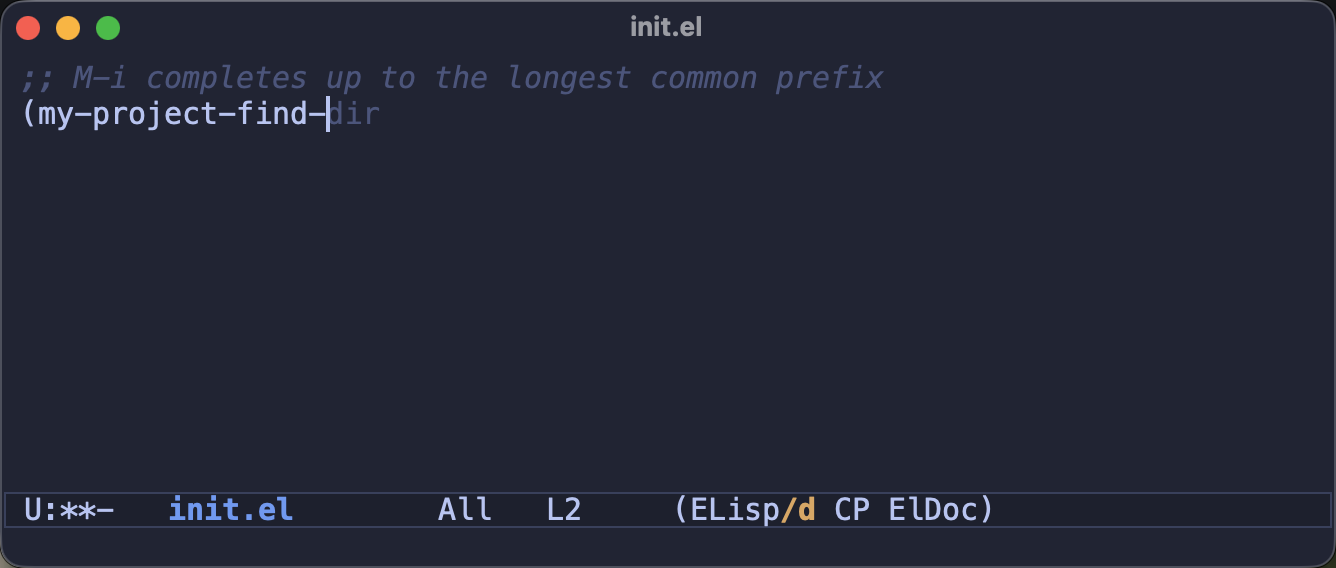
Here’s M-i in action. I had typed my-pro, and pressing M-i filled in
ject-find-, stopping exactly where the two candidates (my-project-find-file
and my-project-find-dir) diverge:
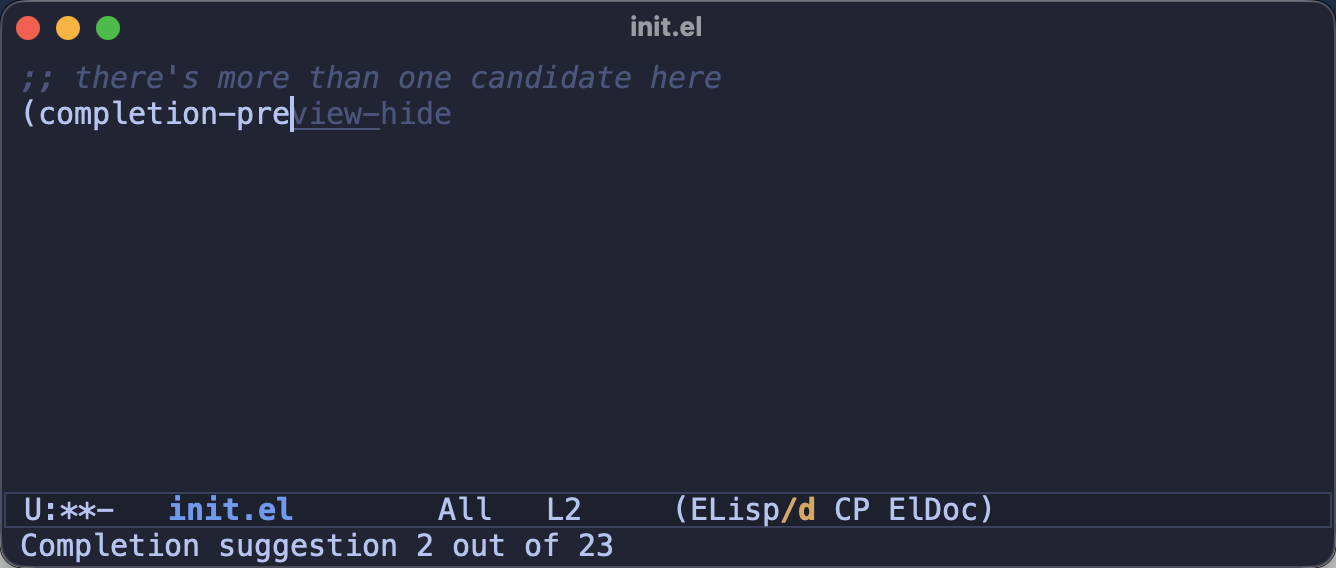
And when you cycle with M-n, Emacs even tells you where you are in the
candidate list in the echo area:
There’s basic mouse support as well - clicking the ghost text with mouse-1
inserts it, and scrolling the mouse wheel over it cycles through the candidates.
(I doubt I’ll ever use that, but it’s kind of cute)
Fine-tuning
A few user options to adjust the behavior:2
;; show the preview only after typing at least 3 characters (the default)
(setopt completion-preview-minimum-symbol-length 3)

;; wait a bit before showing the preview (by default it shows up instantly)
(setopt completion-preview-idle-delay 0.2)

;; show a preview only when there's exactly one candidate
(setopt completion-preview-exact-match-only t)
There’s also completion-preview-commands - the list of commands after which
the preview appears (things like self-insert-command). You’ll rarely need to
touch it, but it’s good to know it’s there if some command you use doesn’t
trigger the preview.
Do You Still Need Corfu?
When I first read about completion-preview-mode I assumed it was competing
with corfu and company, but I’ve come to think that’s the wrong way to look
at it. They draw candidates from the same source and simply present them
differently - corfu gives you the full candidate list with annotations and
documentation, while the preview gives you the single most likely candidate
with zero visual ceremony. These days I run both: the ghost text handles the
“obviously I meant that symbol” cases with a single TAB, and corfu’s popup
kicks in when I actually need to browse.
Admittedly, two completion UIs at once won’t be everyone’s cup of tea. If you
find it too busy, a nice middle ground is to enable completion-preview-mode
only where a popup feels out of place - e.g. in eshell-mode or comint-mode
buffers.
Closing Thoughts
Emacs 30 keeps chipping away at my list of third-party packages - which-key
and EditorConfig support are now built-in, and completion-preview-mode
covers a niche I didn’t even know I wanted covered. Not bad for a “boring”
stable release!
Have you tried completion-preview-mode already? Are you a ghost text person
or a popup person? (or both, like me) I’d love to hear your thoughts in the
comments!
That’s all I have for you today. Keep completing!
-
Unlike the AI assistants, the suggestions here come straight from your buffers and your
completion-at-point-functions. No subscription needed and no hallucinations included. ↩ -
If you’re wondering what’s this
setoptthing - check out this article. ↩