Replacing Flyspell with Jinx
I’ve been using flyspell-mode for the better part of two decades, and I’ve
written about it a couple of times
before. It gets the job
done, but it has always felt a bit creaky to me - it checks words one at a time
as you type, flyspell-buffer is painfully slow in big buffers, and you have to
remember to enable flyspell-prog-mode in your programming modes, so it would
check only comments and strings there.
Recently, as part of the ongoing overhaul of my personal Emacs config, I finally replaced it with jinx and I can already tell you that I’m not going back.
Why Jinx?
Jinx is a modern spell-checker by Daniel Mendler (of vertico, consult and corfu fame), built on top of libenchant.1 Quite a few things make it a great alternative to Flyspell:
- It’s fast. Jinx checks only the visible part of the buffer (it hooks into
Emacs’s JIT font-locking machinery), so it doesn’t matter if your buffer is
100 lines or 100,000 lines long. There’s no need for anything like
flyspell-buffer- misspellings simply get highlighted as they scroll into view. - One mode everywhere.
global-jinx-modereplaces bothflyspell-modeandflyspell-prog-mode. Jinx decides what to check based on faces, so in programming modes it automatically limits itself to comments and strings. - Enchant is a facade over many spell-checking backends - Hunspell, Nuspell, Aspell, and (notably) AppleSpell on macOS. That last one means Jinx can use macOS’s built-in dictionaries and you don’t have to install any yourself.
- Support for multiple languages at once. Set
jinx-languagesto something like"en_US bg"and Jinx will check both English and Bulgarian in the same buffer. As someone who writes in two languages every day, this alone would have sold me on it. - A much nicer correction UI.
M-$(jinx-correct) pops up acompleting-readmenu (lovely if you’re usingvertico) with the suggestions, plus entries for saving the word. More on that in a bit.
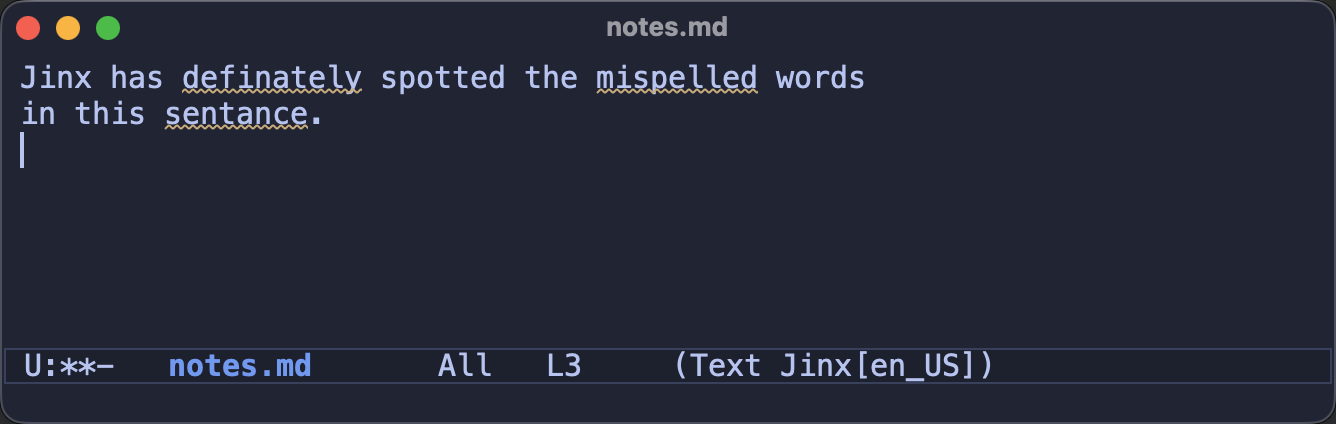
Here’s Jinx flagging a few typos for me:
The Setup
Here’s the relevant bit of my config:
(use-package jinx
  :ensure t
  :hook (emacs-startup . global-jinx-mode)
  :bind (("M-$" . jinx-correct)
         ("C-M-$" . jinx-languages)))
M-$ is bound to ispell-word by default, so rebinding it to jinx-correct
feels quite natural. jinx-languages allows you to switch the active languages
for the current buffer on the fly.
Note that those bindings are not optional - Jinx doesn’t bind any keys globally
and jinx-mode-map is empty, so out of the box there’s no way to even trigger
a correction! The package does come with a few handy bindings of its own, but
they live on the misspelled words themselves (via overlay keymaps) and are
active only while point is on one of them. More on that in the next section.
One thing to keep in mind - Jinx uses a small native module to talk to
libenchant, and this module gets compiled automatically the first time you
enable the mode. In other words - you’ll need libenchant (plus pkgconf) and
a C compiler on your system:
# macOS
brew install enchant

# Debian/Ubuntu
sudo apt install libenchant-2-dev pkgconf
Admittedly, that’s a bit more setup than Flyspell, which is built-in and only
needs an external aspell/hunspell binary. Flyspell will probably remain the
path of least resistance, but in my opinion the small extra effort pays for
itself many times over.
Essential Keybindings
In the spirit of Essential Flyspell,
let’s go over the keybindings you actually need. The nice thing about Jinx is
that almost everything hangs off M-$:
M-$(jinx-correct) - correct the nearest misspelled wordC-u M-$- correct all the misspellings in the buffer, one after anotherC-u C-u M-$(jinx-correct-word) - correct the word before point, even if Jinx doesn’t consider it misspelledC-M-$(jinx-languages) - switch the languages for the current buffer
When point is on a misspelled word a few extra bindings light up (those are the overlay-map bindings I mentioned earlier):
M-n(jinx-next) andM-p(jinx-previous) - jump to the next/previous misspelling. They also set up a repeat map (provided you’ve enabled the built-inrepeat-mode), so after the first jump you can keep going with justnandp, and press$to correct the word you’ve landed on.mouse-3(a.k.a. right click) - pops up a menu with the corrections. (Flyspell usedmouse-2for this, which always clashed with the default mouse yank)
The correction minibuffer has a few tricks of its own:
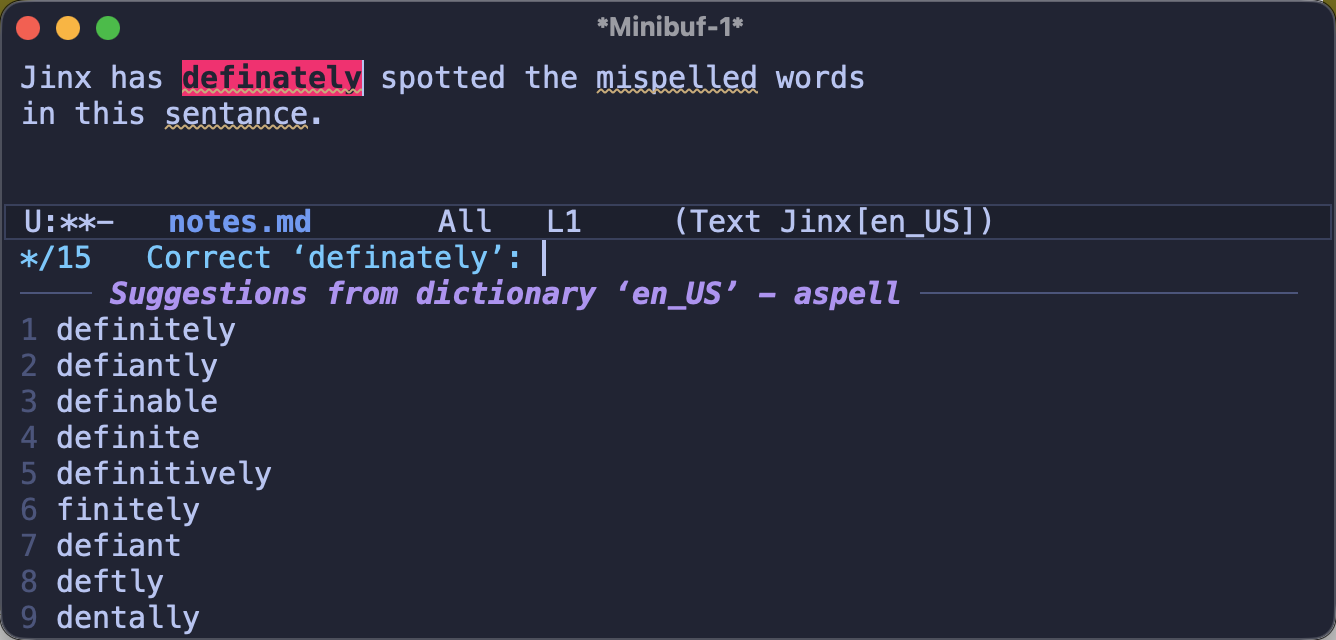
1to9select the corresponding suggestion right awayM-nandM-pmove to the next/previous misspelled word without leaving the minibuffer - super handy in combination withC-u M-$- below the suggestions you’ll find entries for saving the word, prefixed with
@(personal dictionary),*(file-local),/(directory-local) and+(just for the current session)
This is how correcting a word looks with vertico (note the numbered quick
select keys and the squiggly underlines on the remaining typos):
If your Flyspell muscle memory is strong, here’s how the old bindings map to the new ones:
M-$(ispell-word) is stillM-$- that was the whole point of the binding in my setupC-,(flyspell-goto-next-error) becomesM-nC-c $(flyspell-correct-word-before-point) is also covered byM-$, as correcting a word and saving it to your dictionary live in the same menuC-.andC-;(the auto-correct commands) have no direct equivalent - Jinx always takes you through the correction minibuffer, although the numeric quick-select keys make that almost as fast
Note: Dropping Flyspell also frees up C-. and C-;, which happen to be
prime keybinding real estate. In my setup they are now bound to
embark’s embark-act and embark-dwim,
but that’s a topic for another article.
Closing Thoughts
Funny enough, I knew about Jinx for quite a while, but I kept using Flyspell mostly because of inertia. I guess old habits die hard! Now that I’ve finally made the switch, I can’t help but wonder what took me so long.
Have you tried Jinx already? Are you still happily using Flyspell (or something else entirely)? I’d love to hear your thoughts in the comments!
That’s all I have for you today. Keep fixing those typos!
-
I guess the name makes sense - what do you get from an enchantment gone wrong? A jinx! ↩